Codex CLI: install it on a Mac, sign in and run it.
Codex CLI is OpenAI’s coding agent for the terminal: it inspects your code, edits files and runs commands on your own computer. To install it on a Mac, run curl -fsSL https://chatgpt.com/codex/install.sh | sh in Terminal, or brew install --cask codex. Then type codex in a project folder and choose Sign in with ChatGPT.
By NarenLast updated
The short answer
- Open Terminal and paste the install line below.
- Open a new Terminal window and go to a project folder.
- Type
codexand press Return. - Choose Sign in with ChatGPT and finish in the browser window that opens. An API key works too.
- Type what you want done, for example “Tell me about this project”.
curl -fsSL https://chatgpt.com/codex/install.sh | shWhat is Codex CLI?
Codex CLI is, in OpenAI’s words, “a coding agent from OpenAI that runs locally on your computer”. You start it in a terminal, inside a project folder, and ask for something in plain words. It can inspect your files, make edits and run the tools already installed on your machine, and you choose what it may do without asking first.
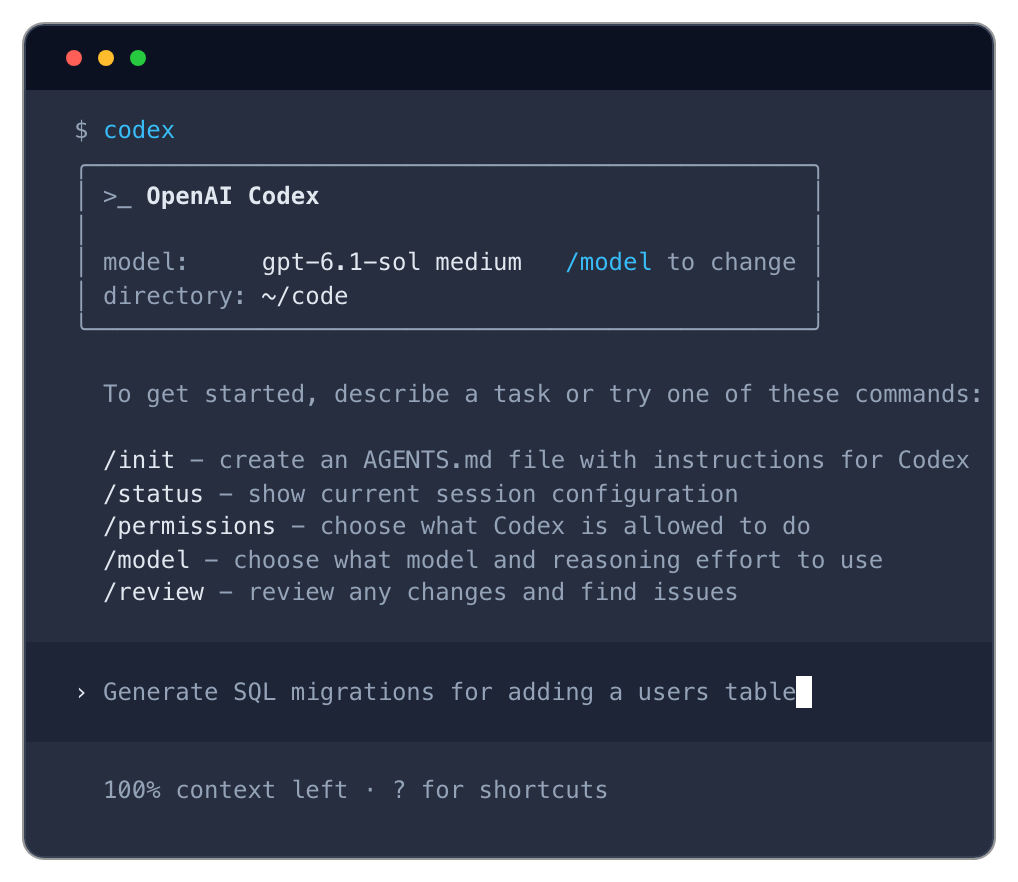
It is open source, under the Apache-2.0 licence. The name Codex also covers three other things, and none of them is the CLI:
| Codex in | What it is | How you get it |
|---|---|---|
| The CLI (this guide) | The agent in your terminal, working on the files on your computer | One install line, below |
| The IDE extension | The agent inside a code editor such as VS Code | Installed in the editor itself |
| The desktop app | The ChatGPT desktop app, with Codex in it | codex app, or a download from OpenAI |
| The cloud | What OpenAI’s README calls “the cloud-based agent”, which works on OpenAI’s servers, not on your computer | chatgpt.com/codex |
Sources, read 14 November 2026: openai/codex on GitHub, Codex CLI, Installing and building, The latest Codex release.
What do you need to run Codex CLI on a Mac?
A Mac on macOS 12 or later, and a way to sign in: a ChatGPT account or an OpenAI API key. OpenAI’s own installer needs neither Node.js nor Homebrew.
| You need | What OpenAI says |
|---|---|
| macOS | 12 or later |
| Processor | Apple silicon or Intel: each release has a build for both, and the installer picks yours |
| Memory | 4 GB at least, 8 GB recommended |
| Git | Optional and recommended, 2.23 or later |
| An account | A ChatGPT account, or an OpenAI API key. “Codex is included across ChatGPT plans, including Free and Go. Usage limits vary by plan” |
Sources, read 14 November 2026: Installing and building, openai/codex on GitHub, Using Codex with your ChatGPT plan.
How to install Codex CLI on a Mac
OpenAI gives three ways: its own installer, Homebrew and npm. The installer is one line in Terminal:
curl -fsSL https://chatgpt.com/codex/install.sh | shPick one way and stay with it. The installer itself warns that two copies on one Mac are ambiguous, because the order of your PATH decides which one runs.
| Way | Install | Update later |
|---|---|---|
| OpenAI’s installer | The line above | The same line again, or codex update |
| Homebrew | brew install --cask codex | brew upgrade --cask codex |
| npm | npm install -g @openai/codex | The same line again |
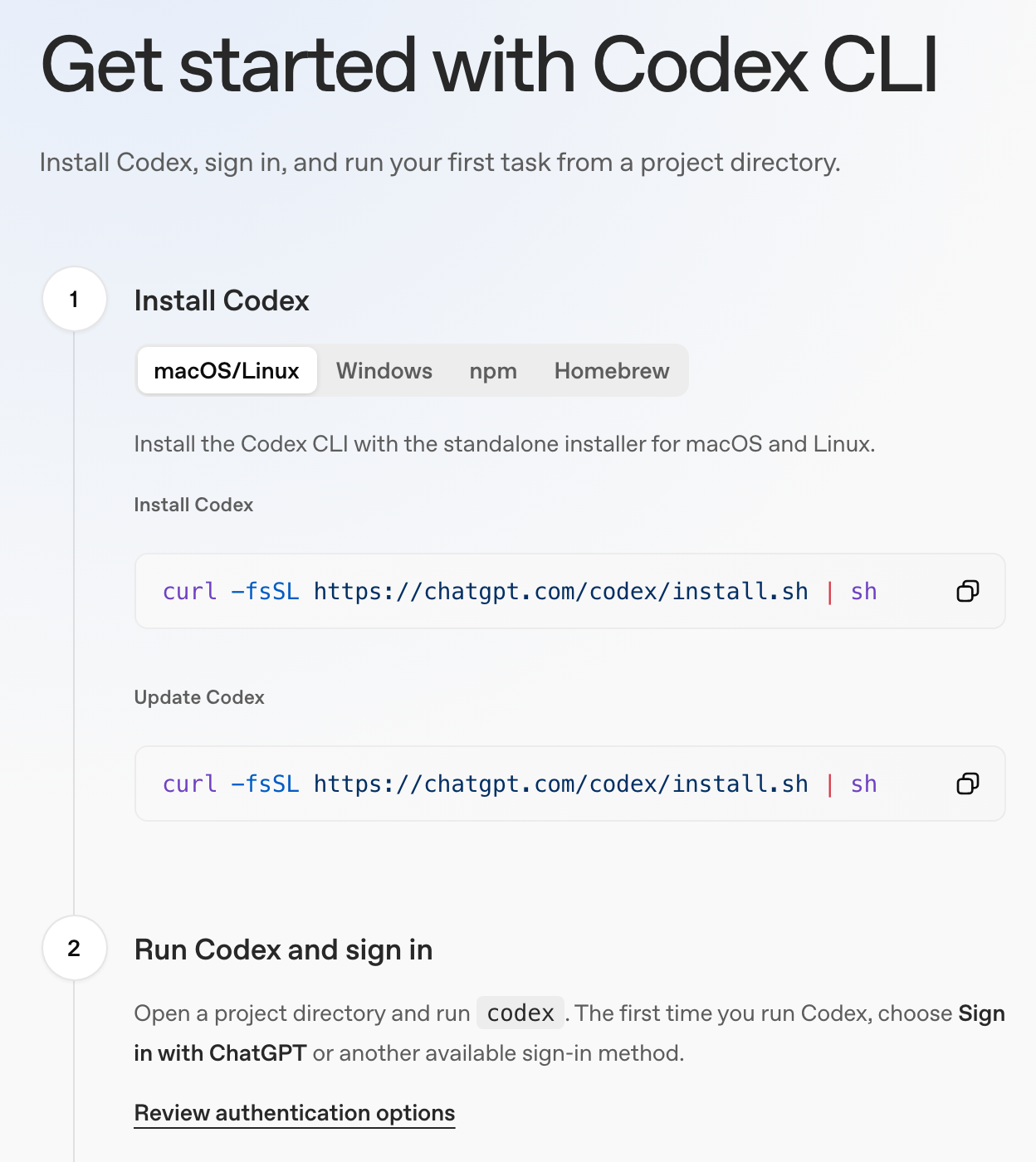
What the installer does
We read the script before writing this. It downloads the build for your Mac, checks the download against its published SHA-256 digest, and puts the codex command in ~/.local/bin. If that folder is not on your PATH, it adds it to your shell’s startup file, which is ~/.zprofile for zsh, the Mac’s default shell. That is why step 2 says a new Terminal window: the old one has not read the change. If it finds a copy from Homebrew or npm, it offers to remove it.
Check that it worked
In a new Terminal window, ask for the version. On 14 November 2026 the newest release was 0.169.0.
codex --versionIf something looks broken, codex doctor writes a report on the installation, the configuration and the sign-in. With the install done, the next step is the sign-in.
Sources, read 14 November 2026: Codex CLI, openai/codex on GitHub, The installer script, Developer commands.
How to sign in to Codex CLI
Run codex and choose Sign in with ChatGPT. A browser window opens, you sign in to ChatGPT there, and the browser hands your sign-in back to Codex. OpenAI recommends this route, and it is the one that uses your ChatGPT plan. You can also sign in with an API key. And where the browser step cannot work, ChatGPT sign-in has a device code route, in beta:
| Sign in with | How | What you pay with |
|---|---|---|
| ChatGPT, in a browser | Choose Sign in with ChatGPT on first run, or run codex login, then finish in the browser | Your ChatGPT plan’s included usage |
| ChatGPT, with a device code (beta) | Choose Sign in with Device Code, or run codex login --device-auth, then open the link in a browser, sign in and enter the one-time code | Your ChatGPT plan’s included usage |
| An API key | Run the API key line under this table | Your OpenAI Platform account, at standard API rates |
printenv OPENAI_API_KEY | codex login --with-api-keyThe API key line reads the key from a variable named OPENAI_API_KEY, so the key itself never appears in the command; you create one in the OpenAI dashboard. With a key, OpenAI says some features that rely on ChatGPT or the cloud are limited or unavailable. The device code is for a computer with no browser, such as one you reach over SSH, and it has to be switched on first: in your ChatGPT security settings on a personal account, or by an admin in a workspace.
Check who is signed in, or sign out
codex login status
codex logout
Codex keeps your sign-in on the Mac so you are not asked each time: in a plain file at ~/.codex/auth.json, or in the system’s credential store. OpenAI’s advice is to treat that file like a password: never commit it, paste it or share it. The CLI and the IDE extension share the same sign-in, so signing out of one signs you out of the other. Once you are in, you can give Codex its first task.
Sources, read 14 November 2026: Authentication, openai/codex on GitHub, Developer commands.
How to run Codex CLI
Go to a project folder and type codex. That opens the interactive session: a prompt where you describe the task and watch Codex work. OpenAI’s suggested first task is “Tell me about this project”, which asks for an explanation, not an edit. OpenAI also advises a Git checkpoint before and after a task, so you can undo its changes.
cd ~/code/my-project
codex
Inside a session, commands start with a slash, and the five in OpenAI’s illustration above are the ones to try first. Three keys are worth knowing on the first day. Type @ to search for a file and add its path to your prompt. Start a line with ! to run a shell command yourself. Press Ctrl+C, or type /exit, to close the session.
Three other ways to start it
| Command | What it does |
|---|---|
codex "Tell me about this project" | Opens the session with that prompt already sent |
codex exec "Tell me about this project" | Runs the task without the interactive session, for scripts and CI runs that should finish with no one at the keyboard |
codex resume --last | Continues the most recent session started in this folder |
That is enough to work with. Every other command and flag is in OpenAI’s command reference, which lists every documented command and flag.
Sources, read 14 November 2026: Codex CLI, Developer commands.
Where are Codex CLI’s limits, costs and status explained?
Limits: signed in with ChatGPT, the CLI draws on your plan’s usage limits, and /status in a session shows what is left; our Codex usage guide has every way to check them and how they reset, and the ChatGPT usage guide covers the plan as a whole.
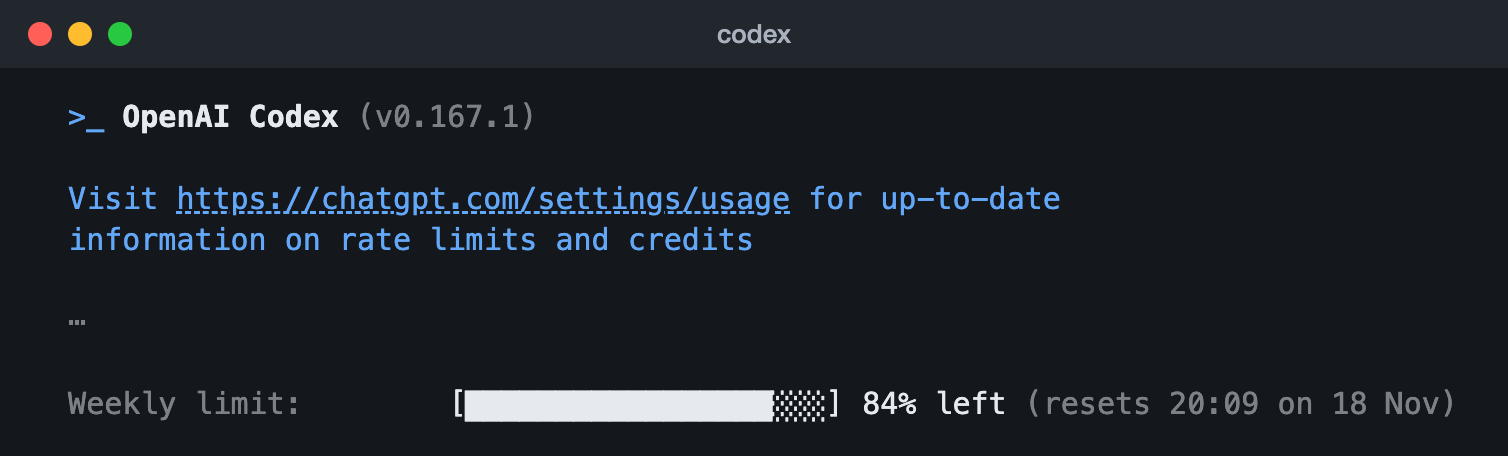
/status in the Codex CLI 0.167.1 (13 Nov 2026): the weekly limit, what is left and when it resets. The lines with the account, workspace and session are left out (the ⋯).Costs: signed in with ChatGPT, Codex is included in your plan, and OpenAI says that covers Free and Go, with usage limits that vary by plan; with an API key you pay for the tokens you use. OpenAI’s Codex pricing page compares the ChatGPT plans and links to its separate API pricing page.
Status: when Codex stops answering and your limits are fine, OpenAI’s status page lists Codex among its services and says whether there is an incident.
Sources, read 14 November 2026: Codex pricing, Using Codex with your ChatGPT plan, Authentication, OpenAI status.
Questions people ask about Codex CLI
Do I need Node.js to install Codex CLI?
No. Only the npm route uses npm, which comes with Node.js. OpenAI’s installer and the Homebrew route do not ask for it.
How do I update Codex CLI?
The way you installed it: run the installer line again, brew upgrade --cask codex for Homebrew, or npm install -g @openai/codex for npm. codex update checks for an update and applies it when your installed release can update itself.
Can I use Codex CLI with an API key instead of a ChatGPT plan?
Yes. Sign in with printenv OPENAI_API_KEY | codex login --with-api-key. OpenAI then bills your Platform account at standard API rates, not your ChatGPT plan, and says some features that rely on ChatGPT or the cloud are limited or unavailable.
Where does Codex CLI keep my sign-in?
On your Mac, in ~/.codex/auth.json or in the system’s credential store. Treat the file like a password. codex logout clears it.
Sources, read 14 November 2026: Codex CLI, Authentication, Developer commands.