How to install Claude Code on a Mac: sign in, first run and updates.
To install Claude Code on a Mac, run curl -fsSL https://claude.ai/install.sh | bash in Terminal, or brew install --cask claude-code with Homebrew. Open a new Terminal window, type claude in a project folder and sign in, usually in the browser window it opens. It needs macOS 13 or later and a paid Claude plan, a Console account or cloud-provider access.
By NarenLast updated
The short answer
- Open Terminal and paste the install line below. It shows no progress while it downloads.
- When it finishes, open a new Terminal window and go to a project folder.
- Type
claudeand press Return. - Sign in at the prompt. With a Claude plan or a Console account, that happens in the browser window that opens.
- Type what you want, for example “what does this project do?”.
curl -fsSL https://claude.ai/install.sh | bashWhat do you need to install Claude Code on a Mac?
A Mac on macOS 13 or later, an internet connection, and an account that includes Claude Code. Anthropic’s own installer needs neither Node.js nor Homebrew.
| You need | What Anthropic says |
|---|---|
| macOS | 13.0 or later |
| Processor | x64 or ARM64, so an Intel Mac or an Apple silicon Mac |
| Memory | 4 GB or more |
| Shell | Zsh, the Mac’s default, or Bash |
| An account | A Claude Pro, Max, Ultra, Team or Enterprise plan, a Claude Console account, or access through a cloud provider. “The free claude.ai plan does not include Claude Code access” |
| Where you are | One of Anthropic’s supported countries |
Sources, read 15 November 2026: Advanced setup, Quickstart.
How to install Claude Code on a Mac
Anthropic gives three ways on a Mac: its own installer, which it recommends, Homebrew and npm. The installer is one line in Terminal:
curl -fsSL https://claude.ai/install.sh | bashIt shows no progress while it downloads, so wait for the command to finish. The three ways differ mostly in how they update:
| Way | Install | Updates |
|---|---|---|
| Anthropic’s installer (recommended) | The line above | By itself, in the background |
| Homebrew | brew install --cask claude-code | By hand, unless you opt in |
| npm | npm install -g @anthropic-ai/claude-code@latest | By itself, when npm’s global folder is writable without sudo |
Two notes on the other ways. Homebrew has two casks: claude-code follows the stable channel, typically about a week behind, and brew install --cask claude-code@latest gets each version as it ships. The npm package needs Node.js 22 or later and installs the same program as the installer; Anthropic says never to run it with sudo, and if npm --version starts with 12, to follow the npm 12 fix on its troubleshooting page instead.
Where the installer puts it
The installer puts the claude command at ~/.local/bin/claude, a link to the current version in ~/.local/share/claude/versions/. Those two paths matter twice later: when Terminal cannot find the command, and when you remove it.
Check that it worked
Open a new Terminal window and ask for the version. A working install prints a version number followed by (Claude Code).
claude --versionFor a fuller check, claude doctor prints a read-only report on the install and your settings without starting a session.
If Terminal says “command not found”
If you see zsh: command not found: claude in a new window, the folder the installer uses is not on your PATH yet. Anthropic’s fix for Zsh, the Mac’s default shell, is two lines: the first saves the setting for every new window, the second applies it to the window you are in.
echo 'export PATH="$HOME/.local/bin:$PATH"' >> ~/.zshrc
source ~/.zshrc
If your Mac’s Terminal runs Bash, the file is ~/.bash_profile in place of ~/.zshrc in both lines, or your existing ~/.bash_login or ~/.profile if you have one of those and no ~/.bash_profile.
Once claude --version answers, the install is done, and the next step is the sign-in.
Sources, read 15 November 2026: Advanced setup, Quickstart, Troubleshoot installation and login.
How to sign in to Claude Code
Type claude and Claude Code opens a browser window on first launch. Sign in there with your Claude account, and when the terminal shows Login successful, press Enter. If the browser does not open, press c to copy the login address and paste it into your browser. If the browser shows a login code, paste it into the terminal where it says Paste code here if prompted.
That is the route for most people. These are the routes Anthropic documents for signing in at the prompt:
| Sign in with | Who it is for | How |
|---|---|---|
| A Claude Pro, Max or Ultra plan | One person with a paid Claude plan | Sign in with your claude.ai account in the browser window |
| Claude for Teams or Enterprise | Members of an organisation’s plan | Sign in with the claude.ai account your team admin invited you to |
| Claude Console | API billing, with pre-paid credits | Sign in with your Console account, which an admin must have invited first. On version 2.1.242 or later Claude Code then asks how: with the Console account itself (recommended, no API key) or by creating an API key (legacy). From the shell: claude auth login --console |
| An API key | A Console key you already have | Set it as ANTHROPIC_API_KEY before you start. Claude Code asks once whether to use it, then skips the login |
| A cloud provider | Organisations on Amazon Bedrock, Google Cloud’s Agent Platform or Microsoft Foundry | Set the provider’s environment variables before you start. For Bedrock and Google Cloud, you can choose 3rd-party platform at the login prompt, which opens a setup wizard. No browser login |
| A cloud gateway | Organisations that run their own Claude apps gateway | Sign in with corporate SSO through /login |
One trap is worth knowing on day one. If you have a Claude plan and ANTHROPIC_API_KEY is also set on your Mac, Claude Code uses the key once you approve it, not your plan. To go back to the plan, run unset ANTHROPIC_API_KEY, then type /status in a session to confirm which method is active.
For scripts and managed machines, Anthropic documents four more. claude setup-token makes a one-year token for CI, which you set as CLAUDE_CODE_OAUTH_TOKEN; it needs a Claude subscription. ANTHROPIC_AUTH_TOKEN is a bearer token for an LLM gateway or proxy. The apiKeyHelper setting runs a script that returns a key. And Claude Code can use an Anthropic profile, which ant auth login creates, or Workload Identity Federation credentials. Anthropic’s authentication page has each one, and the order Claude Code picks between them.
Sign in, check or sign out from the shell
You can also sign in from the shell, before your first session: claude auth login, with --sso to force SSO or --console for a Console account. The other two lines show who is signed in and sign you out.
claude auth login
claude auth status --text
claude auth logout
Inside a session, /login switches account and /logout signs you out. On a Mac your sign-in is normally kept in the encrypted macOS Keychain, so you are not asked each time; if the Keychain refuses it, for example over SSH, Claude Code keeps it in ~/.claude/.credentials.json, readable only by you. Once you are in, you can ask your first question.
Sources, read 15 November 2026: Authentication, Quickstart, CLI reference.
Your first run of Claude Code
Go to a project folder and type claude. The prompt appears with the version, the current model and the working folder above it. Anthropic’s suggested first question is “what does this project do?”: Claude Code reads the files it needs by itself, so you do not have to add them.
cd /path/to/your/project
claude
When you ask for a change, Claude Code finds the file and shows you the change. Depending on the session’s permission mode, it may ask before making it: choose Yes to approve. Shift+Tab switches the mode at any time.
Commands inside a session start with a slash. Type / to see the commands available, /help for help, and /exit, or Ctrl+D twice, to leave.
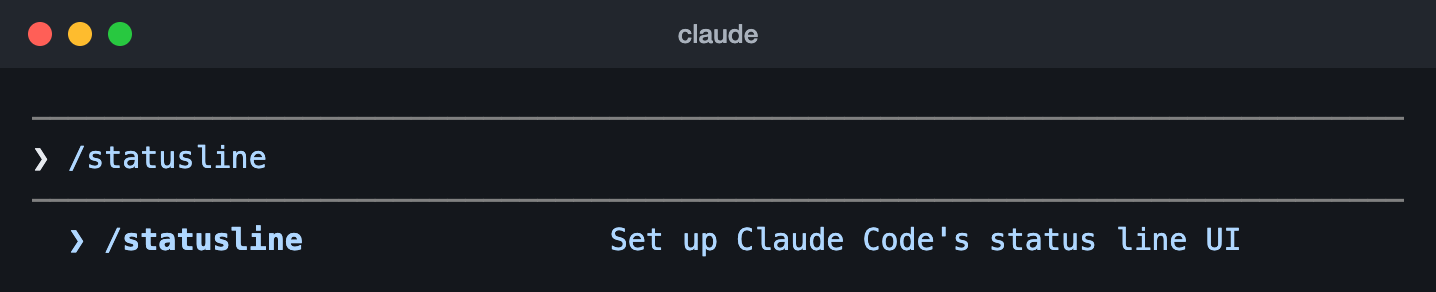
/statusline.Our Claude Code status line guide covers that command. Tomorrow, claude -c continues the most recent conversation in the same folder. Every other command and flag is in Anthropic’s CLI reference. What is left is keeping it up to date.
Sources, read 15 November 2026: Quickstart, CLI reference.
How to update Claude Code
If you used Anthropic’s installer, you do nothing: Claude Code checks for updates when it starts and while it runs, installs them in the background, and uses the new version the next time you start it. To update at once, run:
claude updateA Homebrew install is updated by hand, with brew upgrade claude-code (or brew upgrade claude-code@latest, for that cask), unless you set CLAUDE_CODE_PACKAGE_MANAGER_AUTO_UPDATE to 1 so Claude Code runs the upgrade for you. An npm install updates by itself when npm’s global folder is writable without sudo; to do it by hand, run npm install -g @anthropic-ai/claude-code@latest again. claude --version shows which version you are on.
Sources, read 15 November 2026: Advanced setup, CLI reference.
Where are Claude Code’s limits, costs and status explained?
Limits: on a Claude plan, Claude Code shares its usage limits with Claude itself, and /usage in a session shows where you stand; our Claude usage guide has every way to check them, when they reset and what to do at a limit.
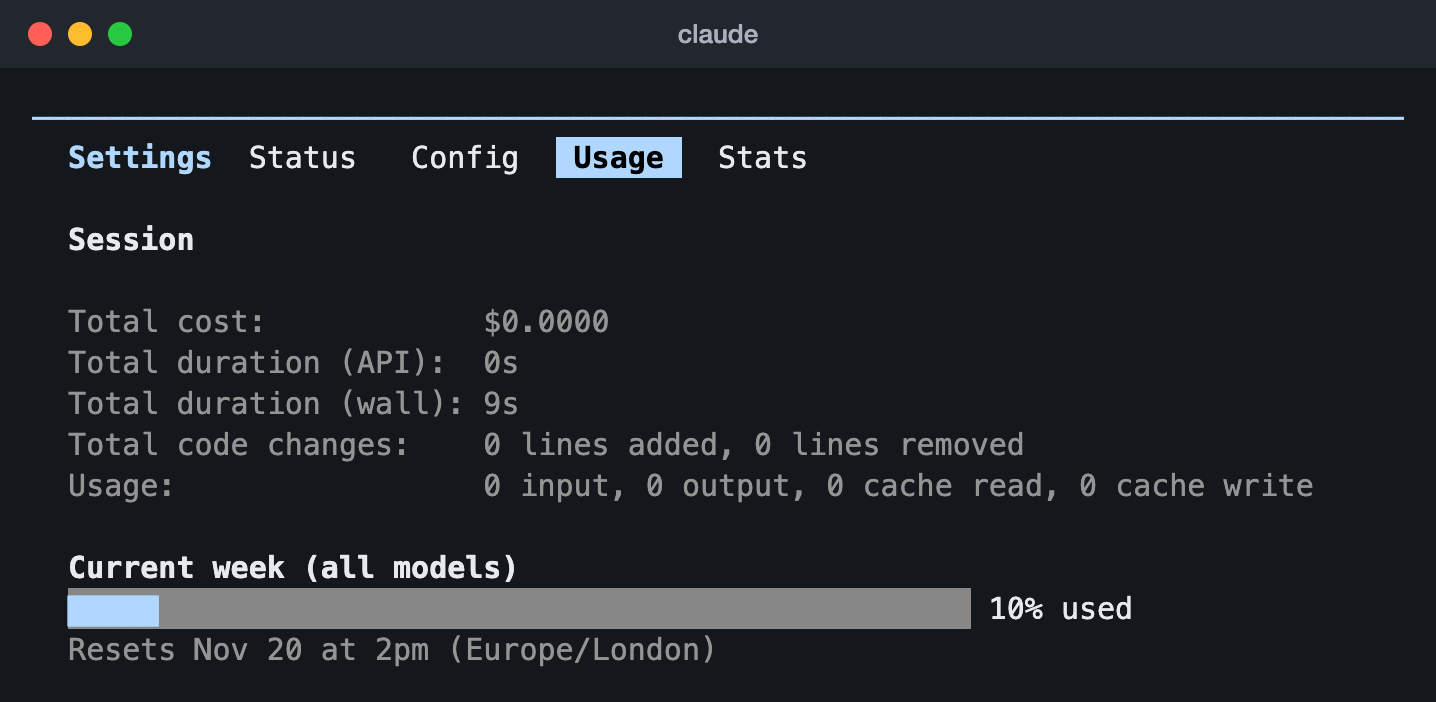
/usage in Claude Code 2.1.323 on an Ultra plan (13 Nov 2026): the week across all models and when it resets.Costs: on a Pro, Max or Ultra plan, Claude Code’s usage is included in the subscription; with a Console account or an API key you pay for the tokens you use. Anthropic’s pricing page has the plans, and its costs page explains how to track the spend.
Status: when Claude Code stops answering and your limits are fine, Anthropic’s status page lists Claude Code among its services and says whether there is an incident.
Sources, read 15 November 2026: Use Claude Code with your Pro, Max, or Ultra plan, Manage costs effectively, Claude pricing, Claude Status.
Questions people ask about installing Claude Code
Do I need Node.js to install Claude Code?
No. Only the npm route needs it, at version 22 or later. Anthropic’s installer and the Homebrew route do not ask for it.
Can I use Claude Code on the free Claude plan?
No. Anthropic says “The free claude.ai plan does not include Claude Code access”. You need a Pro, Max, Ultra, Team or Enterprise plan, a Claude Console account, or access through a cloud provider.
I installed Claude Code twice. Which one runs?
Anthropic warns that more than one install can cause version mismatches, and says to keep only one. which -a claude lists every claude on your PATH.
How do I uninstall Claude Code from a Mac?
The way you installed it. For Anthropic’s installer, remove the command and its versions with rm -f ~/.local/bin/claude and rm -rf ~/.local/share/claude. For Homebrew, brew uninstall --cask claude-code, or brew uninstall --cask claude-code@latest if that is the cask you installed. For npm, npm uninstall -g @anthropic-ai/claude-code. Your settings and session history stay on the Mac until you remove them as well; Anthropic’s setup page lists those files.
Sources, read 15 November 2026: Advanced setup, Troubleshoot installation and login.